

Worked Example: A Website and Booking Flow for a Neighbourhood Restaurant
November 18, 2026 · By Lumaaro
Example project. This worked example is an illustrative scenario that shows how Lumaaro approaches hospitality projects. It is not a past client engagement and contains no real client results.
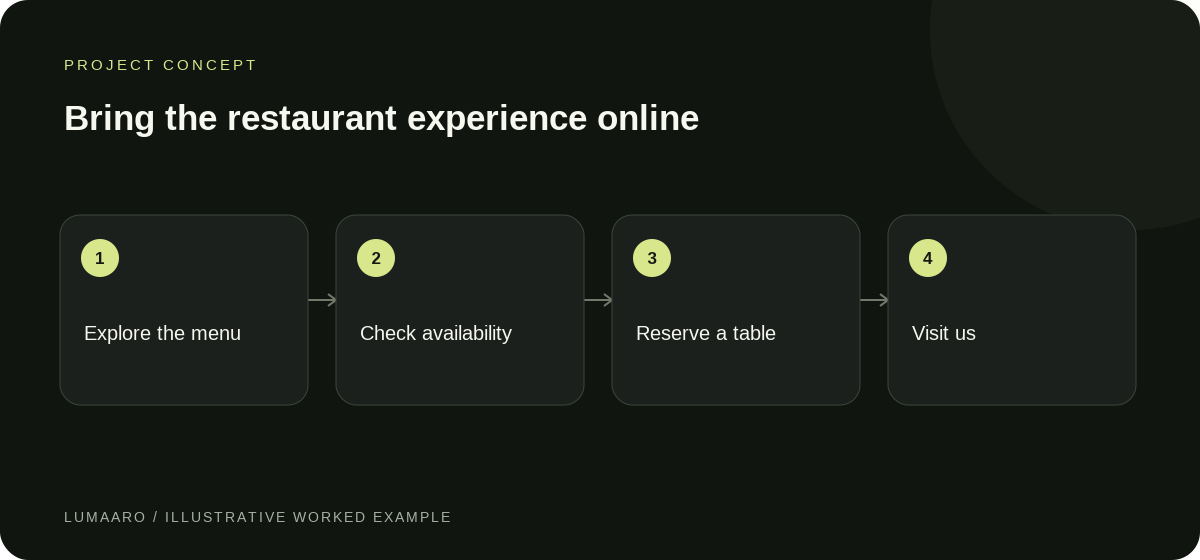
For a neighbourhood restaurant, we would build a fast, mobile-first website with a readable menu, simple table booking, clear opening hours and a good local search presence. Most visitors check menu and location on a phone in seconds, so speed and clarity matter more than effects.
What is the scenario?
A restaurant shares its menu as a PDF, takes bookings by phone and relies on social media for visibility. Guests searching nearby cannot easily find hours, the menu or a way to book.
What are the main challenges?
- Visitors want the menu, hours and location instantly, usually on a phone.
- PDF menus are slow, hard to read and invisible to search.
- Menus and hours change often and must be easy to update.
- Bookings and special events need a simple path.
How would we approach the UX and UI design?
- Design the home page around three actions: view menu, book a table, get directions.
- Present the menu as real web text with sections, dietary labels and photography.
- Express the restaurant's personality through type, colour and imagery without slowing pages.
How would we build the website?
- Build the menu as editable content, so changes take minutes.
- Integrate a booking tool or form and a map with one-tap directions.
- Optimise images and test speed on mobile data.
How would we handle SEO, AEO and GEO?
- Create indexable pages for menu, events and location.
- Add Restaurant and menu structured data that matches visible content.
- Keep business details identical across the website and listings.
How would we look after it after launch?
- Content updates for seasonal menus and hours.
- Monthly backups, updates and monitoring through a care plan.
What would the client receive?
- Mobile-first design
- Editable menu and events pages
- Booking integration and directions
- Local SEO setup
- A simple guide for staff to update content
How would we measure success?
We would agree a baseline before launch and review these measures against it, rather than relying on traffic alone:
- Booking requests and calls from the website
- Views of the menu and directions taps
- Mobile speed and usability
- Search impressions for local queries
- Returning visitors
Which tools and technology would we use?
WordPress, a booking tool, Google Maps, Figma and analytics.
Frequently asked questions
Why not just keep the menu as a PDF?
PDFs load slowly on phones, are hard to read and are poorly understood by search engines. A web menu is faster, easier to update and can be found in search.
Can guests book a table from the website?
Yes. We can connect a booking tool or add a request form, depending on how the restaurant manages tables.
How does a restaurant appear in local search?
Through a complete, consistent business profile, an accurate website with clear location and hours, and genuinely helpful pages. No one can guarantee a ranking.
Have a similar project?
Our UI/UX design, web development and website maintenance services cover every step shown here. Tell us about your project, or build a brief first with the free project planner.