
UI/UX Design Best Practices That Increase Website Conversions
October 20, 2026
Traffic means nothing if visitors leave without taking action. The difference between a website that looks nice and one that actually generates enquiries and sales is usually user experience. Here are the UI/UX best practices we apply on every project.
Key takeaways
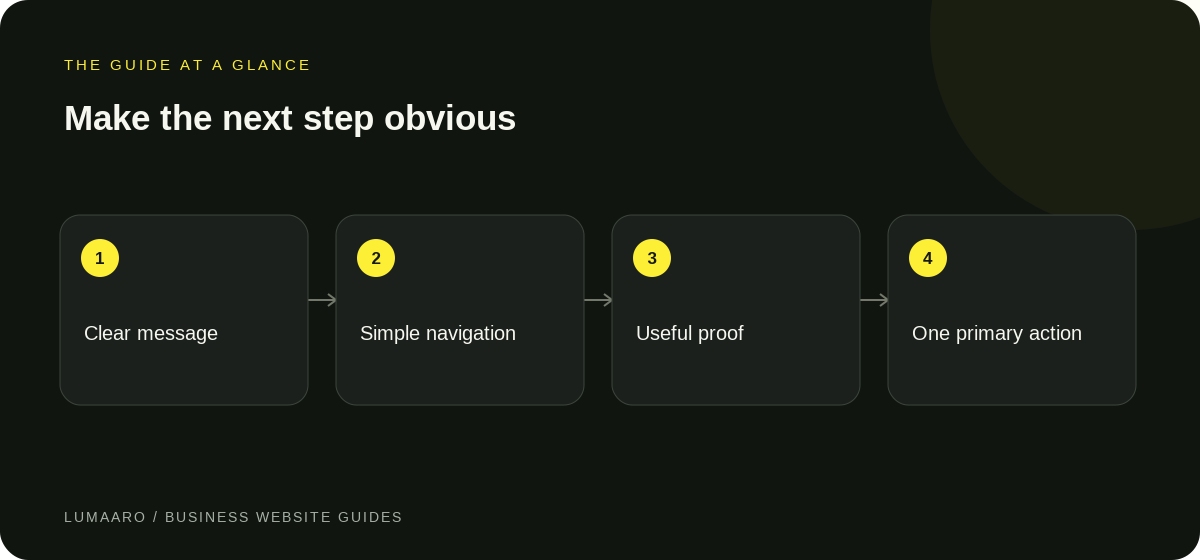
- Give every page one clear purpose and one main call to action.
- Keep navigation simple, design mobile-first and treat speed as part of the experience.
- Make forms effortless and place proof, such as testimonials, close to your calls to action.
- Accessible design helps every visitor and supports your SEO.
What is UI/UX design?
UI (user interface) is how your website looks: colours, typography, buttons and layout. UX (user experience) is how it feels to use: how easily visitors find what they need and complete what they came to do. Great websites get both right.
1. Make the main goal obvious
Every page should have one clear purpose and one main call to action. If a visitor has to think about what to do next, you are losing them. Use a strong headline, a short supporting line and a single prominent button.
2. Keep navigation simple
Visitors should find any important page within two or three clicks. Stick to a short top menu, use familiar labels such as Services, About and Contact, and make sure your logo always links back to the homepage.
3. Design mobile-first
Most visitors will see your website on a phone first. Design for small screens before large ones, with tap-friendly buttons, readable text and layouts that never require pinching or sideways scrolling.
4. Build clear visual hierarchy
Guide the eye with size, contrast and spacing. The most important information should be the most visible. Generous white space is not wasted space: it makes content easier to read and understand.
5. Speed is part of the experience
Slow pages frustrate visitors and hurt search rankings. Compress images, limit heavy scripts and use good hosting and caching. Aim for pages that feel instant on mobile data.
6. Make forms effortless
- Ask only for the information you really need
- Use clear labels and helpful error messages
- Make buttons say what happens next, such as “Get my free quote”
- Confirm clearly once the form is sent
7. Show proof
Testimonials, case studies, reviews and recognisable logos reduce doubt. Place them close to your calls to action, where visitors are making their decision.
8. Design for accessibility
Accessible design helps everyone. Use sufficient colour contrast, descriptive link text, alt text for images and layouts that work with a keyboard. It also helps your SEO.
Frequently asked questions
What is the difference between UI and UX design?
UI (user interface) is how your website looks: colours, typography, buttons and layout. UX (user experience) is how it feels to use: how easily visitors find what they need and complete what they came to do. Great websites get both right.
How can UX improve my website’s conversion rate?
By making the main goal obvious, keeping navigation simple, speeding up slow pages, simplifying forms and showing proof near your calls to action. Small fixes, such as clarifying a button or fixing a confusing menu, can noticeably lift conversions without increasing your traffic.
Why is mobile-first design important?
Most visitors will see your website on a phone first. Designing for small screens before large ones means tap-friendly buttons, readable text and layouts that never require pinching or sideways scrolling.
Does accessibility affect SEO?
Accessible practices such as descriptive link text, alt text for images, sufficient colour contrast and layouts that work with a keyboard help every visitor, and they also support your SEO.
Final thoughts
Small UX improvements compound. Fixing a confusing menu, speeding up a slow page or clarifying a button can noticeably lift conversions without increasing your traffic.
Want an expert review of your website? Contact us for a free UX consultation.
Our UI/UX design services apply these principles on every project, and our web development services build them into fast, SEO-ready websites.
Let's build a website your customers will love.